10 WhatsApp Tips Every Indian User Should Know in 2026
By Instant Tools Hub Team · Published: 26 May 2026 · 6 min read
Why WhatsApp Tips Still Matter in 2026
With over 500 million active users in India, WhatsApp is far more than a messaging app — it is the primary platform for family communication, business transactions, customer support, news sharing, and professional networking. Despite using it every day, most people use only a fraction of what WhatsApp can do. These 10 tips will help you communicate more effectively, look more professional, and save time every day.
Tips 1–4: Communication Superpowers
1. Create a Click-to-Chat Link Without Saving a Number
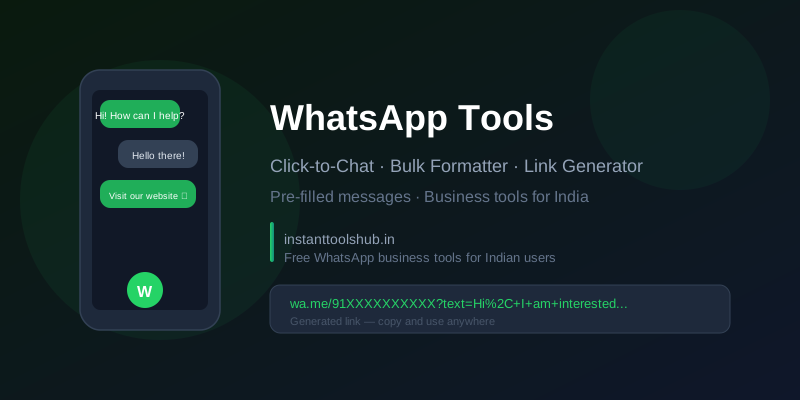
You do not need to save someone's number to message them on WhatsApp. Use the link format https://wa.me/91XXXXXXXXXX (with the 91 country code and the 10-digit mobile number) to open a WhatsApp chat with any number directly. This is incredibly useful for businesses — add this link to your website, Instagram bio, or email signature. Customers can message you with one tap, no contact-saving friction. Use the WhatsApp Tools on Instant Tools Hub to generate these links instantly with an optional pre-filled message.
2. Format Your Text Like a Pro
WhatsApp supports basic text formatting that most users never discover:
- Bold: Wrap text in asterisks —
*this is bold* - Italic: Wrap text in underscores —
_this is italic_ Strikethrough:Wrap text in tildes —~this is struck through~Monospace:Wrap text in triple backticks —```this is monospace```
These are particularly useful for business communications, sharing code snippets, highlighting important information in group messages, or making announcements visually clear.
3. Send a Message Without Appearing Online
Enable "Last Seen" privacy, turn on Airplane Mode, open WhatsApp and read or compose a draft, then disable Airplane Mode after sending (via Android's share intent the message queues and sends without a fresh "online" status in most cases). Alternatively, use WhatsApp's own "Privacy" settings under Account to hide your Last Seen and Online status from everyone except your contacts.
4. Pin Important Chats and Messages
You can pin up to 3 chats to the top of your chat list — ideal for your most important clients, family group, or work team. Inside any chat, you can also star specific messages and access all starred messages later via the three-dot menu → Starred Messages. This is a game changer for keeping track of important instructions, addresses, bank details, or reference information shared in chats.
Tips 5–7: WhatsApp Business Features
5. Set Up WhatsApp Business for Your Shop or Service
WhatsApp Business is a free app designed specifically for small businesses. It adds features that the regular app lacks: a business profile with your address, category, email, and website; business hours display; a product catalogue; and automated messaging features. If you run any kind of shop, coaching class, salon, repair service, or freelance business in India, download WhatsApp Business today — it is completely free and runs alongside the regular WhatsApp on the same phone using a different number.
6. Use Quick Replies to Save Time
WhatsApp Business allows you to create "Quick Replies" — pre-written responses to frequently asked questions. Set up quick replies for your working hours, pricing, order confirmation, or payment instructions. Type "/" in any chat to see and insert your saved quick replies. This alone can save a business owner an hour of typing per day.
7. Set Greeting and Away Messages
WhatsApp Business lets you set an automatic greeting message that sends when a customer contacts you for the first time, and an away message that sends when someone messages you outside your business hours. Both are available under Business Tools → Greeting Message / Away Message. This gives customers an immediate response and a professional impression even when you are unavailable.
Tips 8–9: Group Management and Privacy
8. Control Who Can Add You to Groups
A common frustration among Indian WhatsApp users is being added to irrelevant or spam groups without permission. Fix this: go to Settings → Privacy → Groups and choose "My Contacts" or "My Contacts Except…" instead of "Everyone." This means only people in your contact list can add you to groups, eliminating unsolicited additions from strangers or marketers.
9. Use WhatsApp Channels for One-Way Broadcasting
WhatsApp Channels, launched globally in 2023 and now widely used in India, allow you to broadcast messages to unlimited followers without them knowing who else is subscribed. For businesses, creators, educational institutes, and news sources, Channels provide a one-to-many communication model without the complexity of group management. Followers cannot reply publicly — making it noise-free for both you and your audience.
Tip 10: Use WhatsApp Tools to Work Smarter
10. Generate Click-to-Chat Links, QR Codes, and Message Templates
Instant Tools Hub's dedicated WhatsApp Tools page gives you a complete toolkit for power users and business owners:
- Generate a click-to-chat link with a pre-filled message for your website or social bio.
- Create a WhatsApp QR code that opens a chat with your number — print it on visiting cards, packaging, or shop boards.
- Format and preview bold, italic, and strikethrough text before sending.
You can also pair WhatsApp tools with the QR Code Generator to create a dedicated QR code for your WhatsApp number that customers can scan in-store to start a conversation instantly.
Summary
WhatsApp is one of the most powerful tools in every Indian's digital life, but most users never go beyond basic messaging. From click-to-chat links and text formatting to Business automation and group privacy controls, these 10 tips will make you a more effective communicator and a more professional presence online. Start with the features most relevant to your daily use, and gradually integrate the rest. Visit our WhatsApp Tools page to put several of these tips into action right now.